
13
For nearly three decades, personal computing relied on an asymmetrical rectangle of molded plastic and stamped metal. The Universal Serial Bus Type-A connector was an engineering triumph when it debuted in the late 1990s, replacing a chaotic tangle of serial, parallel, PS/2, and SCSI ports with a single interface. It also became an enduring cultural running joke: the connector that somehow always required three attempts to plug in correctly.
That familiar rectangle is now disappearing from modern hardware. What began as an aggressive design experiment on ultra-thin laptops has turned into an industry-wide mandate. Flagship laptops, tablets, smartphones, and even desktop motherboards now arrive with sleek, pill-shaped USB-C cutouts where legacy ports once lived. Global regulatory mandates and manufacturing economies of scale have accelerated the shift, effectively putting USB-A on notice.
Yet the transition away from the most ubiquitous hardware connector in computing history is rarely painless. Most homes and offices still run on millions of perfectly functional keyboards, studio microphones, flash drives, and legacy cables that rely on the old standard. Navigating the sunset of USB-A requires understanding not just what we are leaving behind, but how to master the capabilities and quirks of the standard taking its place.
Why the Old Workhorse Finally Ran Out of Steam
The longevity of USB-A is a testament to its original design, but the physical limitations of the port eventually collided with modern computing demands.
At its core, USB-A was engineered for an era of modest bandwidth and low electrical draw. The original specification delivered 2.5 watts of power at 5 volts and moved data at 12 megabits per second. Through successive revisions over twenty-five years, engineers managed to squeeze incredible performance out of those same mechanical dimensions, eventually hitting 10 gigabits per second with USB 3.2 Gen 2.
Those adaptations, however, pushed the physical connector to its absolute breaking point. The mechanical footprint of USB-A—nearly 4.5 millimeters thick—became a hard barrier for industrial designers building slim notebooks and convertibles. More importantly, the internal pin architecture could no longer handle modern power delivery protocols or the multi-channel signaling required for high-resolution video streams.
To power a modern laptop, send uncompressed 4K video to a monitor, and transfer gigabytes of files simultaneously, hardware needs a connector designed from scratch for high-voltage negotiation and high-frequency signaling. USB-A simply ran out of physical runway.
The USB-C Conundrum: One Connector, Endless Variables
Moving to USB-C solves the physical constraints of thickness and reversibility, but it introduces a different, often frustrating problem: protocol ambiguity.
With USB-A, you could generally glance at the port or cable and deduce its capabilities. A blue plastic tab indicated USB 3.0 speeds, while black signaled USB 2.0. With USB-C, every cable and port shares the exact same 24-pin reversible physical exterior, while the internal electronics can vary wildly.
Understanding Cable and Port Mismatches
The USB-C connector is merely a physical shell. What happens across that connection depends entirely on the underlying controllers and wiring:
-
Charging-Only Cables: Many budget cables bundled with smartphones or desk lamps contain wiring only for power delivery and basic USB 2.0 data transfer speeds (480 Mbps). Trying to back up an external SSD with one of these cables will bottle up high-speed hardware at rates seen during the George W. Bush administration.
-
Full-Featured High-Speed Cables: High-grade cables include shielded high-speed data lanes capable of 10 Gbps, 20 Gbps, or USB4 speeds up to 40 or 80 Gbps, alongside support for DisplayPort Alternate Mode to drive external displays.
-
Thunderbolt Integration: Premium devices support Thunderbolt over the USB-C physical interface, offering guaranteed minimum bandwidth and PCIe tunneling for external GPUs or storage arrays, but they require certified cables to function at peak capacity.
Because these capabilities are invisible to the naked eye, the early years of the transition earned a reputation for confusion. Surviving the change requires treating cables as active electronic components rather than passive pieces of copper wire.
Pragmatic Strategies for Your Existing Gear
The death of USB-A does not mean you need to discard functional hardware. Keyboards, mice, audio interfaces, and digital cameras rarely saturate the bandwidth of basic USB connections and can remain in daily service for years with the right approach.
Skip the Dongle Piles in Favor of Replacement Cables
When users buy their first laptop without USB-A ports, their default instinct is usually to buy a pack of small, dongle-style adapters: a female USB-A port on one end and a male USB-C plug on the other.
While keeping one or two of these in a travel bag is essential for unexpected flash drives, covering your desk with them is clumsy and puts unnecessary leverage strain on your computer’s native ports.
A far cleaner solution for deskbound equipment is buying dedicated conversion cables. Most legacy desktop peripherals do not have permanently attached cables; they use a standard square USB-B port (common on printers and audio DACs) or a Micro-B connection (common on external hard drives). Replacing the entire wire with a direct USB-C to USB-B or USB-C to Micro-B cable eliminates an extra connection point, reduces physical clutter, and ensures a solid mechanical fit.
When Simple Passive Adapters Still Make Sense
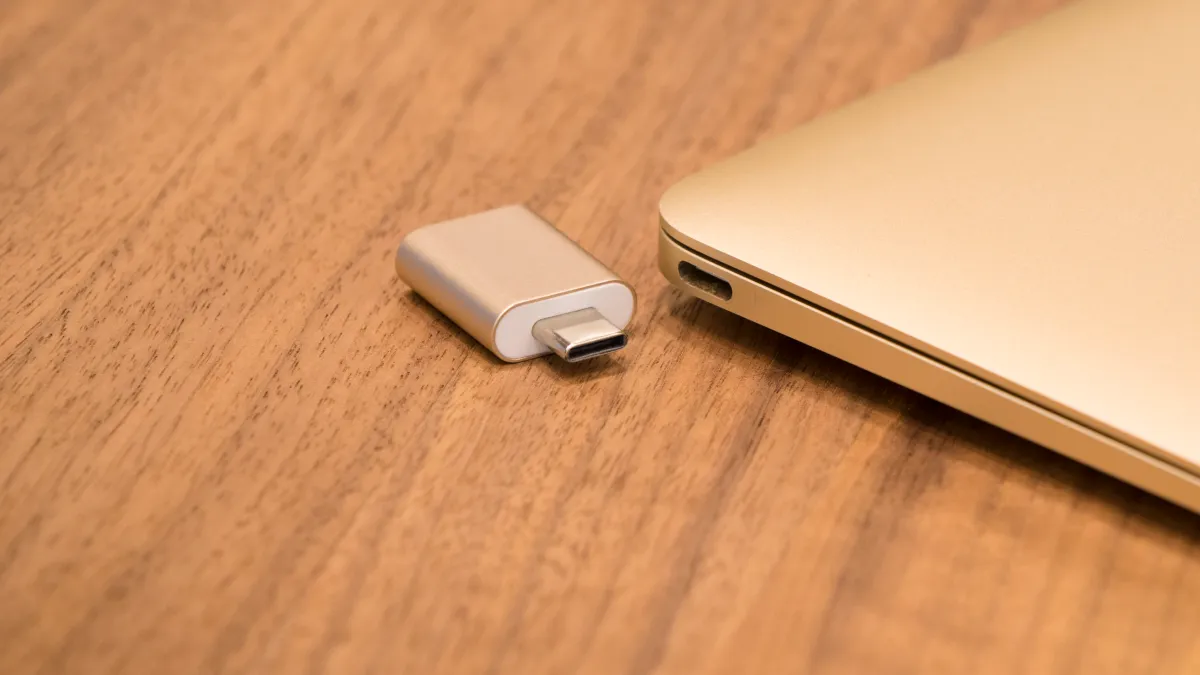
For items with hardwired cables, such as mechanical keyboards, mouse transceivers, or thumb drives, low-profile passive adapters remain practical.
When shopping for these, look for adapters with compact aluminum housings that do not block adjacent ports. Laptops often place USB-C ports in tight pairs; an overly wide adapter plugged into one port can physically block the port right next to it, cutting your usable connectivity in half.
Rebuilding Your Power Setup Around USB Power Delivery
Perhaps the biggest quality-of-life improvement in retiring USB-A is leaving behind proprietary laptop charging bricks.
The USB Power Delivery (USB-PD) standard allows power to flow dynamically in both directions. Instead of carrying a separate wall charger for your laptop, another for your tablet, and a third for your phone, a single high-wattage charger can intelligently power all of them.
Upgrading to Gallium Nitride (GaN)
If you are replacing older USB-A wall plugs, look exclusively toward Gallium Nitride chargers. GaN components run substantially cooler and conduct electricity with higher efficiency than traditional silicon, allowing manufacturers to pack 65 to 140 watts of charging power into an adapter the size of a deck of cards.
Checking for E-Marker Chips
When purchasing cables for high-wattage charging, pay attention to the wattage rating. Standard USB-C cables are typically rated for 60 watts (3 amps at 20 volts). If your laptop requires 100 watts or uses the newer Extended Power Range (EPR) profiles reaching up to 240 watts, you must use a cable containing an electronic marker (E-marker) chip. This internal controller communicates with the charger and host device to verify that the wire can safely handle higher currents without overheating.
Designing a Modern Single-Cable Desk Setup
The final phase of adapting to a post-USB-A environment is redesigning the physical desk space.
Instead of plugging five separate wires into your machine every morning, modern USB-C architecture allows for a true single-cable workspace. A powered USB-C or Thunderbolt docking station stays permanently wired to your monitor, Ethernet, speakers, and legacy USB-A peripherals. When you sit down, a single cable connected to your laptop supplies power, routes display signals, and wakes all connected accessories instantly.
Many modern office monitors now incorporate this functionality directly into their display panels. By choosing a monitor with integrated USB-C hub features, the display itself supplies up to 90 watts of charging back to the computer while breaking out multiple USB ports along the back and bottom bezels for your legacy accessories.
Embracing the Inevitable Standard
Letting go of USB-A can feel like an enforced hardware tax, especially when a drawer full of familiar cables suddenly becomes obsolete. The growing pains of the transition—marked by obscure labeling, cable confusion, and an initial reliance on adapters—are real.
Yet the destination is demonstrably superior to the past. Having one unified connector capable of handling power, data, and video across phones, laptops, and peripheral gear represents the universal promise that computing has chased for decades. With a handful of purposeful cable upgrades and a clear understanding of USB-C specifications, leaving the rectangular port behind transforms from a daily annoyance into a permanent upgrade.
